This is a guest post by Mason James, founder of WP Valet. Mason is a WordPress expert, with a passion for providing stellar, long-term support for WordPress sites. He started WP Valet in order to create a business around his desire to help people build amazing things with WordPress. WP Valet is a go-to company for migrations, and extensive development for your site.
—
Migrating from one CMS to another is never a decision to be made lightly. If you’ve been blogging away on Posterous though, the decision to leave has been made for you. Twitter acquired Posterous, and is absorbing the Posterous team into the legions of Twitter developers and product managers. Awesome for those founders, but less awesome for the good people who have been using the CMS for their blogs.
Good thing there is WordPress to save the day.
So, how do you get your precious content over to your own WordPress install? In my experience, this process wasn’t as straight-forward as one would hope. Others have reported issues as well, so let’s take a look. I’ll explain what steps I took to get things up and running correctly.
If you’re moving to WordPress.com the process is incredibly simple. All WordPress.com sites have an importer available for bringing your content right over.
The steps are as follows:
- Go to http://posterous.com/#backup.
- Click “Request Backup” next to your Posterous name.
- You’ll receive an email when your backup is ready to go.
- Head back to http://posterous.com/#backup to download the zip file.
The backup file has all of your media and content and is a good thing to have as a backup, regardless. Unzip the download and you’ll see a file named ‘wordpress_export_1.xml’ in the root directory. That looks promising.
The WordPress.com import tool allows you to upload that file and neatly bring in all your images, links, and post content. Now you’re in business.
But what if you’re hosting your own version of WordPress (downloaded from WordPress.org or set-up by your hosting company)? Well, fortunately there’s a free plugin available that will get you most of the way there. However, in my tests, using the current version resulted in an infinite spinner with no content being imported. No bueno.
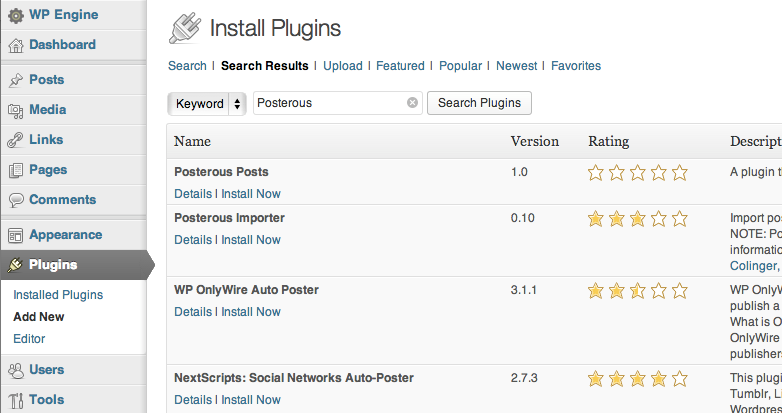
After searching around, I found a statement from the developer encouraging folks with this issue to give the development version a try:
http://plugins.trac.wordpress.org/browser/posterous-importer/branches/v2api/posterous.php
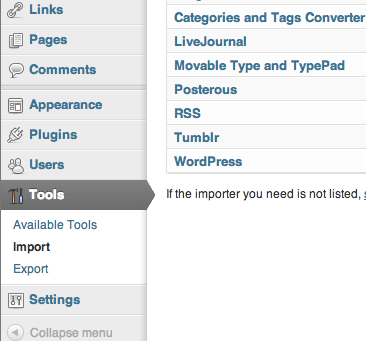
Following the suggestions in that thread helped get past the spinner, but the process still seemed to time out without importing any content. I realized that it was possible the timeout was happening on Posterous’ end. I tried it again during an “off peak” time and was able to pull over all posts. Woot!
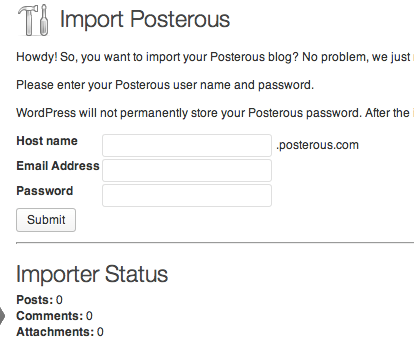
Except, not really.
I noticed immediately that none of my images had made it into the WordPress media library. Trying the import process a few more times didn’t seem to make any difference in my tests. While others have had no trouble here, I wasn’t getting any images. Fortunately there’s a plugin for that as well 🙂
The Add Linked Images To Gallery should help you bring in those images and link them up correctly. Additionally, there’s a custom plugin for Posterous media shortcodes here: https://github.com/dllh/posterous-media/tree/paul
But, what if you never get a solid connection to the Posterous API? Well, that’s where downloading that backup file and WordPress.com steps in to help us out.
If you don’t already have a free WordPress.com account, go ahead and create one. Then follow the steps above. Once you have everything imported on WordPress.com, you can create a new WordPress export file. Upload your new export file to your self-hosted WP install and you should be good to go. If you run into the same issue of image links being incorrect, simply use the Linked Images plugin above.
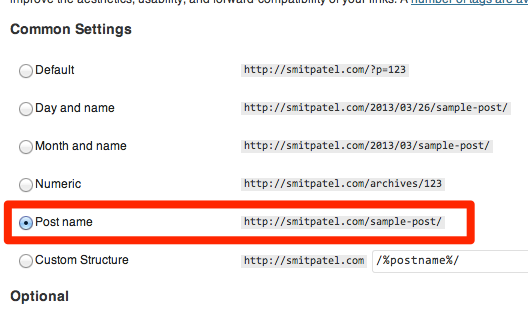
Finally, you’ll want to make sure you don’t lose any of that Google love due to broken links from external sites. To do this, Navigate to Settings>Permalinks and choose the radio button for “Post name.”
To help breakdown the decision-making process a bit I’ve created a flowchart that may help the more visual among us.
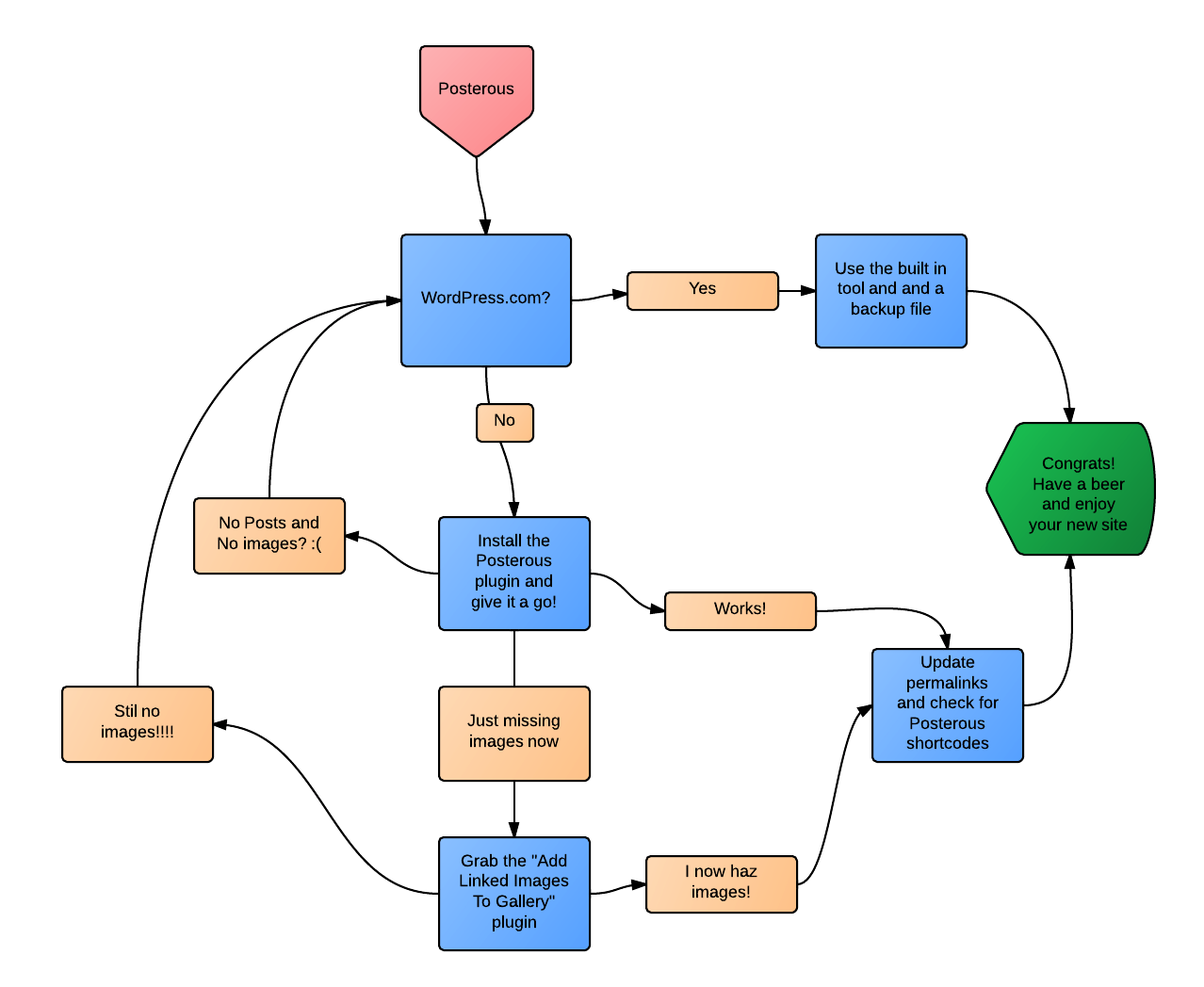
Hopefully this little walkthrough helps you navigate your own migration to WordPress. The process turned out to be more complex than I anticipated and took quite a few twists and turns, but we got there in the end.
Have you attempted a Posterous-to-WordPress migration? What was your experience? Feel free to chime in with thoughts, tips, rants, etc in the comments.
Note: Tons, a great support is happening on the WordPress support forums. Massive props to dllh for his helpful responses. Additional props go to Smit Patel for being a champ even when this process took much longer than we originally thought. If you’re struggling with getting your videos imported you may want to also check out this helpful post.
Thanks for the guide… This will be handy.. 🙂
HI–
Thanks for the guide. Do these instructions work now that Posterous’ servers have gone down? I still don’t see a way to import all the media in these export files I have.
Thanks-
Ted
Hiya Ted
Unfortunately, Posterous’ servers are completely offline now and unavailable. This means any data and media is also no longer available.
As far as I’m aware, there aren’t any options available for folks who didn’t move away from Posterous at this point.
Thanks for the post. Guide helped me a lot…
I wish to migrate to WPEngine from leaseweb