
This past weekend, WP Engine’s Edmund Turbin presented at WordCamp Europe in Vienna on how to get started with WordPress theme development.
This article breaks down Turbin’s talk and discusses some of the basics to getting started in WordPress theme development, including: theme anatomy, starter themes, child themes, and theme frameworks.
[NEXT, 10.30] in Leopold: @spicecadet from @wpengine, “Theming in WordPress: Where do I start?” #WCEU pic.twitter.com/MKQLjxBLM5
— WordCamp Europe (@WCEurope) June 24, 2016
Getting Started with wordpress theme development
According to Turbin, before you get started, the first thing you need to do is figure out what type of site you want to create and identify your audience.
You need to know who they are, what devices they’re using, and where they’re located. This will determine the overall layout and design of the site, and also help you build out exactly what site features you need.
Another important consideration is that users are browsing the web from their mobile devices more than ever. The development and design of your site must be built with these visitors in mind. The layout should be tailored for screen resolution (pixels), image size, and scripting (how users interact with their device).
Theme Anatomy
Themes are made up of Stylesheets, Templates, and Functions, each of which is responsible for a different functionality of the theme.
Stylesheet
A stylesheet, or style.css, allows you to customize the visual design and overall layout of a site, and also controls the comments for theme meta info.
Templates
Templates control how dynamic content is displayed on the site.
Functions (Optional)
Here you can add customized functionality to the theme, however it is geared towards the more tech-savvy, as it requires a solid understanding of PHP and the WordPress coding standards.
Starter Themes
Starter themes give you a platform from which you can build a custom theme by leveraging pre-existing code. You should consider using a starter theme if you want to cut back on development time, or if it’s your first theme.
Starter themes include some functionality, layouts, patterns, and can still be customized to meet your site’s individual needs.
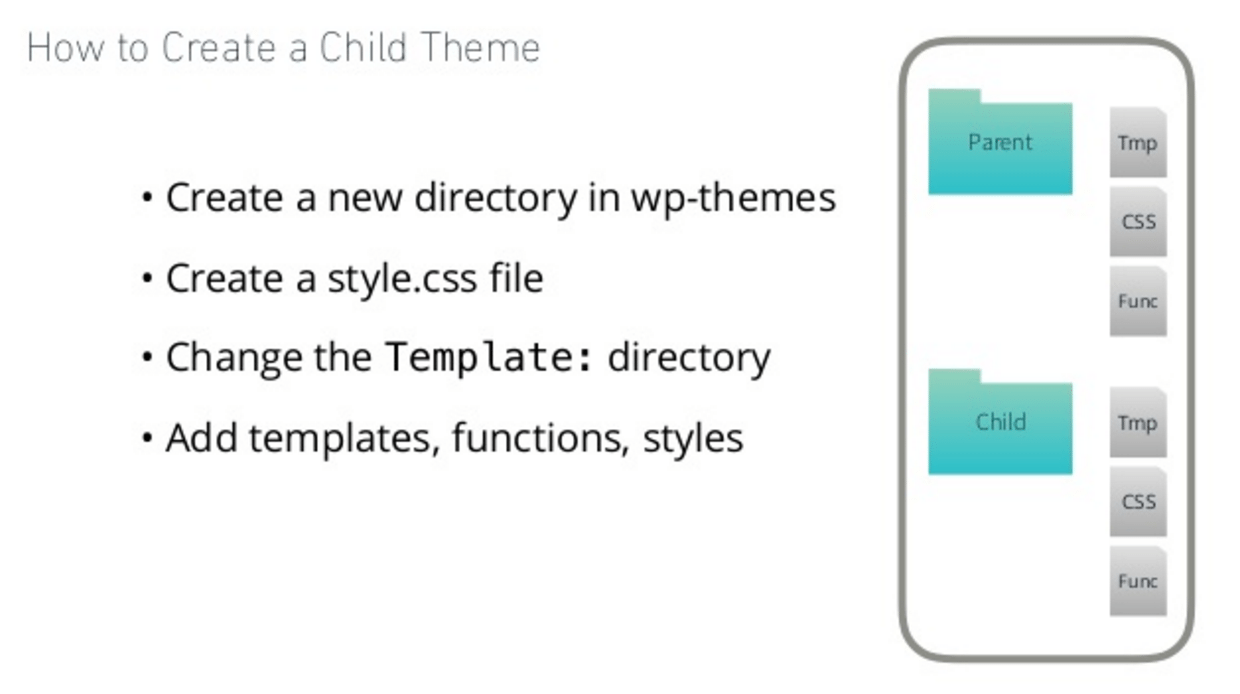
Child Themes
A child theme inherits the functionality of the parent theme and is the best way to modify an existing theme. It helps speed up development time by using all or some of the code used in the parent theme. It’s also very easy to maintain, as it inherits all of the updates from the parent theme.
Be sure to select a parent theme with the functionality you want on your site. If you’re cutting things out, maybe it’s time to find a new parent theme.
Theme Frameworks
A theme framework is nothing more than a parent theme with advanced functionality–you’ll need to spend time understanding it’s code base to fully reap the benefits. Once you have invested your time in mastering your theme framework, you’ll be able to develop rapidly with consistent features across all the sites you build.
Some theme framework examples include Headway Themes, Genesis Framework, and Themify.
Summary
While you can always build your own theme from the ground up, using a theme framework is an easy way to leverage the work and knowledge of other theme developers.
Starter themes, child themes, and theme frameworks give you a launching pad into the world of WordPress theme development. They will dramatically cut down on dev time and will also help improve your skills as you work with them.
You can always build your theme from scratch if you do not want to start from a clean slate, and don’t be afraid to pick from the thousands of commercial and free themes if you need to create a simple site quickly.
For more information, check out Turbin’s presentation slides on Theming in WordPress. Happy theming!
Most important beginner’s guide to WordPress and points is very informative. Many people learn here.