
Favicons help you establish a strong visual identity and improve the user experience. In this article, we’ll cover everything you need to know about favicons: what they are, how they’ll help you, best practices and more.
What is a favicon?
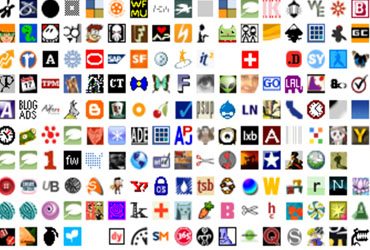
Favicons are small, iconic images associated with a particular website. They are often found next to the URL in the address bar, the website’s name in a list of bookmarks, or the page title. Favicons operate as a way of branding your site and are therefore often called site icons or blavatars (blog avatars).
Why Should You Add a Favicon to Your Site?
A favicon has a subtle but important role of branding on your website. Site visitors will know exactly where they are when they see your favicon making you easily locatable and reassuring your site visitors they are in the right place. Finding creative and subtle ways to brand on your site is not the easiest of tasks, it would be a mistake to not add a favicon to your WordPress site.
Favicons have another very important role on your site: improving the user experience. They spruce up a boring URL bar and some browsers show favicons when you create a short link to the corresponding website on your desktop or on your mobile device. A goal of every website should be to encourage visitors to make repeat visits; favicons help you do just that by strengthening your brand and improving the user experience.
How to Add a Favicon to WordPress
In terms of appropriate ways to add favicons to your WordPress site, there are several options to choose from:
- Use the WordPress Customizer. Given that the theme you are using has the option, you can easily add Site Icons via the customizer. Just go to Appearance>Customize and then Site Identity>Site Icon.
- Upload via your Theme’s Options Page. Not all themes come equipped with an options panel but if yours is all you have to do is do a little bit of digging through your panel and find the option to insert a favicon.
- Use a Plugin. If you are using a theme that doesn’t allow you to insert a favicon via the customizer or doesn’t have a built-in options panel, you can insert a favicon via a plugin. Favicon by RealFaviconGenerator is a free, easy to use plugin that ensures that your favicon is viewable on all devices.
Favicon Not Showing?
If your favicon is not showing up on your WordPress website, chances are you made one of these common mistakes:
- Used the wrong image format. Most modern browsers will support favicons in the GIF or PNG format. However, some older browsers will not support GIF and PNG and most modern browsers will look for the favicon.ico file in the root of your domain anyway. It’s best to stick with the ICO file format.
- Favicons can’t appropriately adjust for size. The ICO file format stores multiple versions of an image in different sizes and resolutions to account for users viewing them on different devices. However, it is generally good practice to upload multiple favicon.ico sizes because that way it looks better when a shortcut is made, is viewed on different devices or the site is pinned.
WordPress Multisite Favicon
Adding a favicon to single sites is easy. However, what about adding a different favicon to single sites on a WordPress Multisite Network? Although a bit more complex, it is possible to enable each site in your Multisite installation to have its own favicon.
If you are a developer, you can fool around with multiple child themes or change your multisite code but the simplest way to add individual favicons is to use a plugin.

Favicon Plugins
When it comes to adding Favicons to your WordPress site, there are a few plugins you can choose from:
All in One Favicon– This free plugin will add favicons to your sites and admin pages. All in One supports all .ico, .png and .gif favicon uploads.
Fresh Favicon–This plugin is perfect for all your favicon needs and is continuously updated as the technology evolves. Simply upload images to the upload fields, follow the on-screen instructions and this plugin will generate all the necessary favicons for you.
Ultimate Branding-If you are looking for ultimate customization, Ultimate Branding is your go-to. Along with adding single site and multisite favicons, you can use Ultimate Branding to change or remove WordPress branding for custom brand messaging.
Favicon Generators
Favicon by RealFaviconGenerator-This plugin allows you to create favicons that look great on all platforms. In a matter of seconds, you can set up a favicon that is compatible with Windows, Mac, IOS and more.
Heroic Favicon Generator-This simple and effective plugin automatically generates favicons from images you upload from a media gallery.
Beyond these plugins, you can use Adobe Photoshop or GIMP to create high-quality favicons.
When it comes to creating a scalable website that will get your brand out there quickly, WordPress is the platform out there. Get a team of WordPress experts on your side with WP Engine and ensure that your site is maximized for speed, scalability, and performance. Check out our plans and get started today.