
Embedded videos – i.e. those displayed on your website from a third-party hosting service – are big business, and compared to simple linked media, there is much more of a benefit from a analytical point of view. For a start, your pages become more sticky, and visitors are dissuaded from navigating away from your site.
While using video on your website was previously a struggle (to put it mildly), advances in web technology now mean manipulating moving images is just as simple as working with their static siblings. What’s more, WordPress handles a variety of video formats from a range of different hosting sites.
In this article, we’re going to give you the lowdown on how to embed video in WordPress, along with how to leverage the many different sources available. However, first we’ll discuss our favorite plugins to embed video in WordPress. Let’s get started!
Video Embed Plugins for WordPress
Fortunately, embedding video in WordPress is a cinch – especially when you have a quality plugin to hand. Let’s take a look at two of our favorites.
1. Video Embed & Thumbnail Generator

First up is the Video Embed & Thumbnail Generator plugin. This effectively kills two birds with one stone. First, you can embed video using a shortcode that results in a responsive HTML5 video on your site (with Flash fallback for those not yet supporting HTML5). What’s more, you can also generate suitable thumbnails for your videos, and the functionality is comprehensive and well-thought through.
2. ARVE Advanced Responsive Video Embedder

An alternative is the Advanced Responsive Video Embedder (ARVE). While it doesn’t support thumbnail generation in the free version, there are an almost overwhelming number of video providers – including favorites such as YouTube and Vimeo. However, there are a number of premium add-on features – including automatic or manual thumbnail generation – so if you have the budget, ARVE could be the only plugin you need to embed videos into WordPress.
Embedding YouTube and Vimeo Videos in WordPress
As we alluded to, embedding videos in WordPress is super simple, regardless of the video platform you’re using. The good news is that you don’t necessarily need a plugin to embed video into your WordPress website.
If you have a YouTube or Vimeo video, for example, WordPress includes an automatic embedding option that is enabled by default. To leverage this, first grab the URL of the video you’re interested in embedding:

Next, head to the edit screen of a page or post of your choosing within the WordPress back end – it doesn’t matter which editor you decide to use on this occasion. Finally, paste the URL into the editor, and wait a couple of seconds for the screen to update (or switch to the Visual editor if you’re not already in it). You’ll then see your video display within your content:

You’ll quickly notice that there aren’t many editing options for your video. However, by using the [embed] shortcode, you can at least customize the dimensions to suit your layout. Of course, using a dedicated plugin here will give you more scope for customization.
Embedding Facebook Videos in WordPress
Facebook is an incredibly popular platform for sharing video, and while the embedding process used to involve a complex set of instructions, that’s no longer the case.
You’ll want to start by copying the link for the Facebook video you’d like you embed – the best way is to access the video, right-click on the date, and copy that URL. From here, simply head into your WordPress dashboard, and paste the link into a post or page editor:
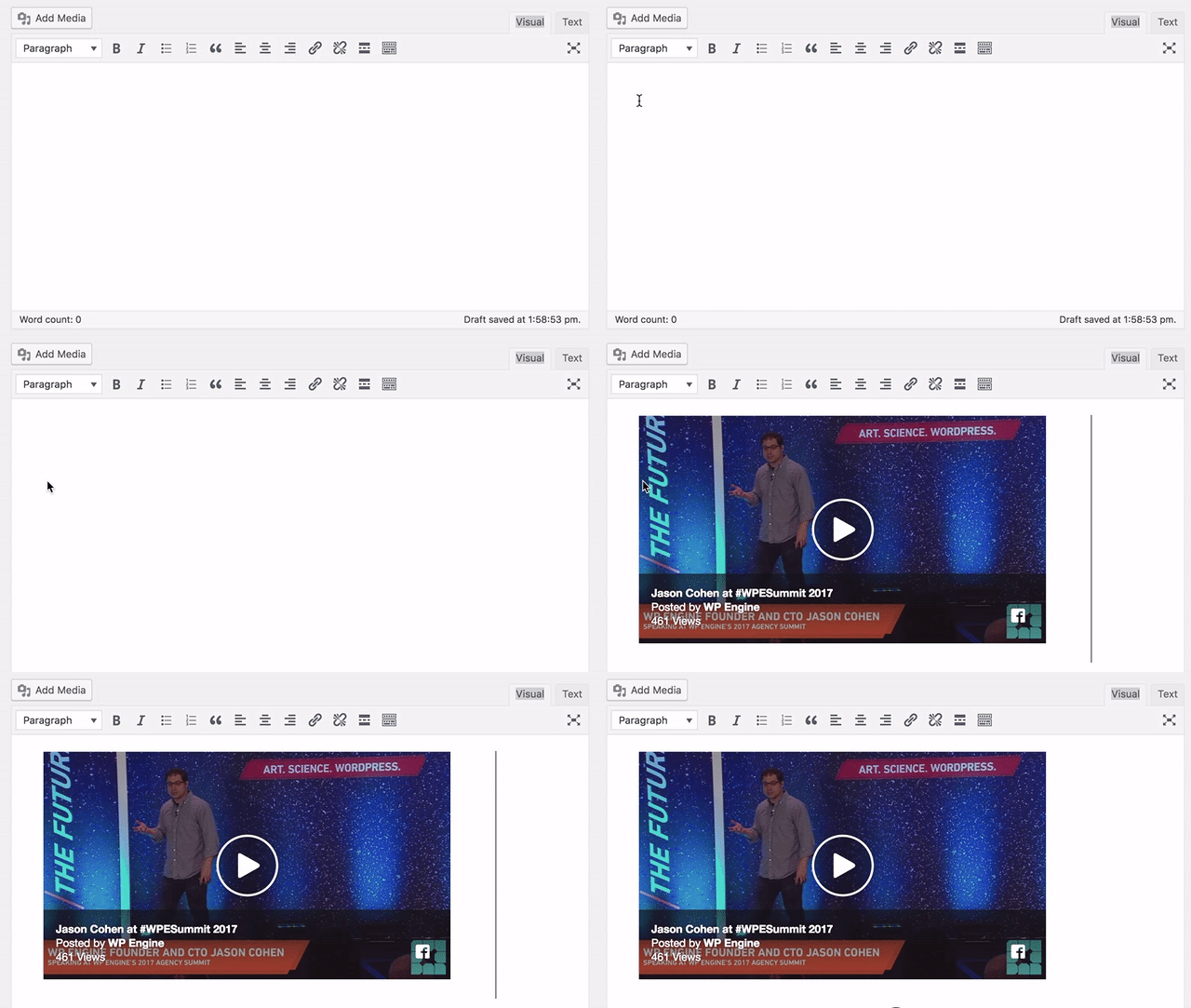
You’ll see the video’s thumbnail embed almost immediately, and if you check the front end of your site, you should be able to see (and play) the video on your post or page.
Embedding Instagram Videos in WordPress
Instagram videos look difficult to embed on the surface, but in reality they’re similar to implement as Facebook (although still slightly more complex than YouTube and Vimeo).
First, head to the Instagram video you’d like to embed, and click the three dots in the bottom right-hand corner:

From here, check the box if you’d like to include the video’s caption, and click the Copy Embed Code button:

Next, head to a WordPress post or page, access the Text editor, and paste in the code. Once you switch back to the Visual editor, you’ll see a placeholder for your video, and by previewing your front end, you should be able to see the Instagram embed on your site:

Note that this also works with Instagram’s images too!
Embedding Self-Hosted Videos in WordPress
Embedding self-hosted MP4 video into your WordPress website is just as simple as doing so with YouTube and Vimeo videos.
With your MP4 video in hand, navigate to the Media > Add New screen within WordPress, which will bring you to the Upload New Media screen:

You can either use the Select Files button and navigate to your video, or simply drag and drop your video onto the screen:

From here, you can select your video as normal from the Media Library within a post or page. However, due to bandwidth and site speed issues, we’d recommend using a dedicated third-party video hosting provider.
Regardless of how you’d like to embed videos, you’ll need a rock-solid and quick WordPress host. WP Engine has many plans tailored to practically any need, so drop us a line to find out more!